CSV flashcards
A simple choice for vocabulary, questions and answers, or teacher-made lists. Start with Front and Back columns.
Flashcard importing
Bring existing cards into Kaboosh instead of rebuilding every deck by hand. Upload a CSV file, an Excel .xlsx spreadsheet, or an Anki .apkg export, then preview the cards before adding them to a deck.
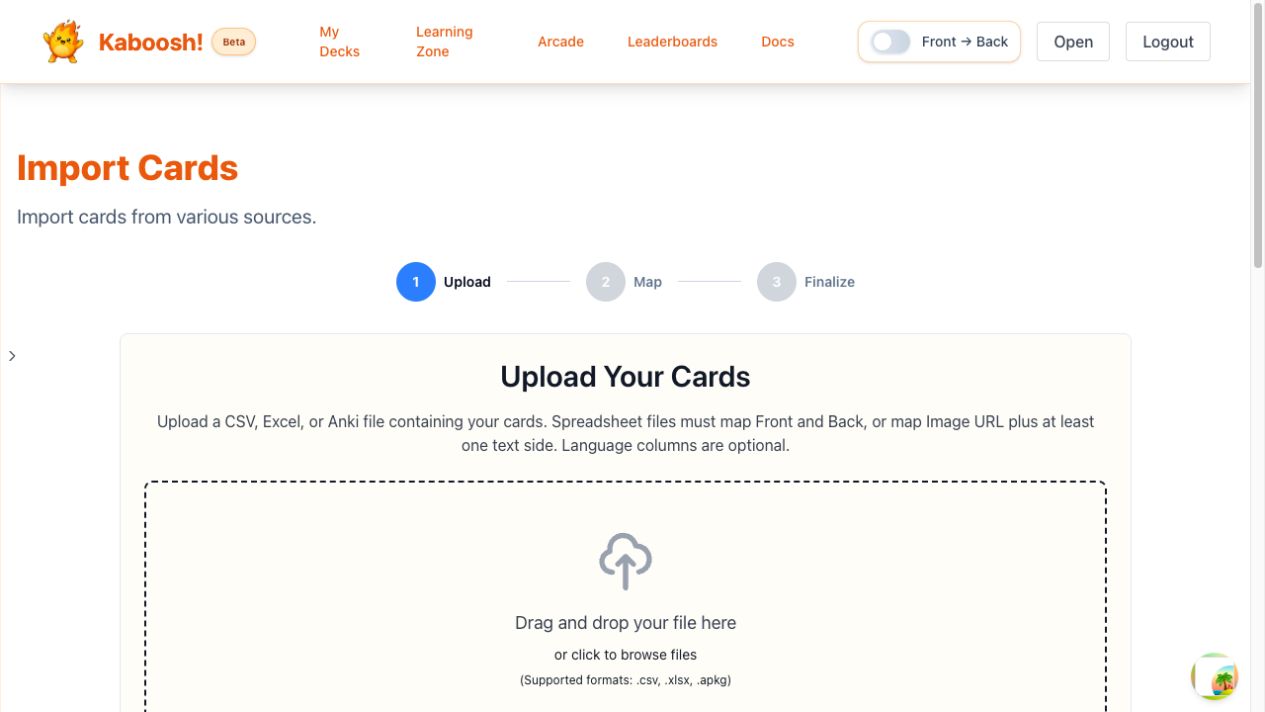
Use a spreadsheet for lists you can edit in rows and columns, or bring an existing Anki deck across as a package.
A simple choice for vocabulary, questions and answers, or teacher-made lists. Start with Front and Back columns.
Import an existing .xlsx workbook without converting it to CSV. Legacy .xls files must be saved in a supported format first.
Import front and back text from a valid .apkg export. You can also choose to retain Anki scheduling intervals.
Choose one CSV, XLSX, or APKG file from your device.
Match spreadsheet columns to the card fields and check the preview. APKG files already contain the card sides.
Select the rows you want, then add them to a compatible deck or create a new one.
Use the imported cards with flashcards, spaced repetition, and Kaboosh study games.
Give each field its own column. Most imports only need Front and Back; language and image columns are optional.
| Front | Back | Image URL |
|---|---|---|
| bonjour | hello | optional |
Map both Front and Back, or use Image URL with at least one text side.
Download the CSV templateOpen it in your spreadsheet app and save a copy as .xlsx or .csv.
Save the file as UTF-8 CSV and put quotation marks around values that contain commas, quotation marks, or line breaks.
Export the deck from Anki again as an .apkg package, then upload the new export.
Kaboosh accepts CSV files, Excel .xlsx spreadsheets, and Anki .apkg package exports. Legacy .xls files need to be saved as .xlsx or .csv first.
Map both Front and Back, or map an Image URL with at least one text side. You can also map language columns and supported optional card fields.
Yes. After previewing your file, choose a compatible existing deck or create a new deck for the imported cards.
Yes. When you import a valid Anki .apkg file, you can choose whether to retain its scheduling intervals.
Imported cards can be reviewed as flashcards, used with spaced repetition, and reused in Kaboosh study games.